
MRI prior auth
Clinical packet ready
Workflow Use Case
Reduce manual payer steps by combining real-time eligibility and benefits checks — in-network status, deductible, copay, coinsurance, and out-of-pocket maximum — with prior auth workflows, portal automation, and follow-up in one operating flow.
Last updated:
Operational picture
Gather the packet, verify real-time eligibility and benefits — deductible, copay, coinsurance, and out-of-pocket maximum — submit or update through payer workflows, and keep status visible across aging and renewals.
Signals
Clinical packet ready
Deductible not yet met · coinsurance returned
Renewal window open
How it works
Here is the whole path a case takes, from the moment it shows up to the moment it is done.
01 / Packet
Insurance details, clinical notes, the procedure codes, and any records the payer asks for get pulled together first.
Cases stop going out half done and bouncing right back.
02 / Eligibility
Calvient confirms the plan is active and in network, then shows the deductible, the copay, and what the patient will likely owe.
You know whether the case can move and what to tell the patient about cost.
03 / Portal
Calvient works the payer portal or forms, sends the request, and saves the reference number and proof on the case.
Your staff stops doing the same repetitive clicking on payer sites.
04 / Aging
Pending cases, denials, and expiring approvals stay in view, and renewals start before the authorization runs out.
The heavy payer work stays under control instead of becoming a scramble.
What operators see
These are the working surfaces that keep the queue understandable, actionable, and measurable.
Tasks
Staff can sort by eligibility, packet prep, submit, follow-up, denial, or renewal instead of working from disconnected payer lists.
CT auth request
Clinical packet ready to submit
PT eligibility check
Deductible remaining unclear · coinsurance not returned
Sleep study renewal
Expires in 5 days
Browser agent
Operators can see what the agent submitted, where it clicked, and what payer response came back.
Login + submit packet
Availity flow completed
Status recheck
Pending medical review
Exception flagged
Portal requested new clinical note
Reporting
Managers can see where cases are piling up, which payers create the most rework, and where renewals are slipping.
Payer A
Longest turnaround this week
Payer B
Highest first-pass approval rate
Renewals
3 cases entering risk window
Workflow Views In Product
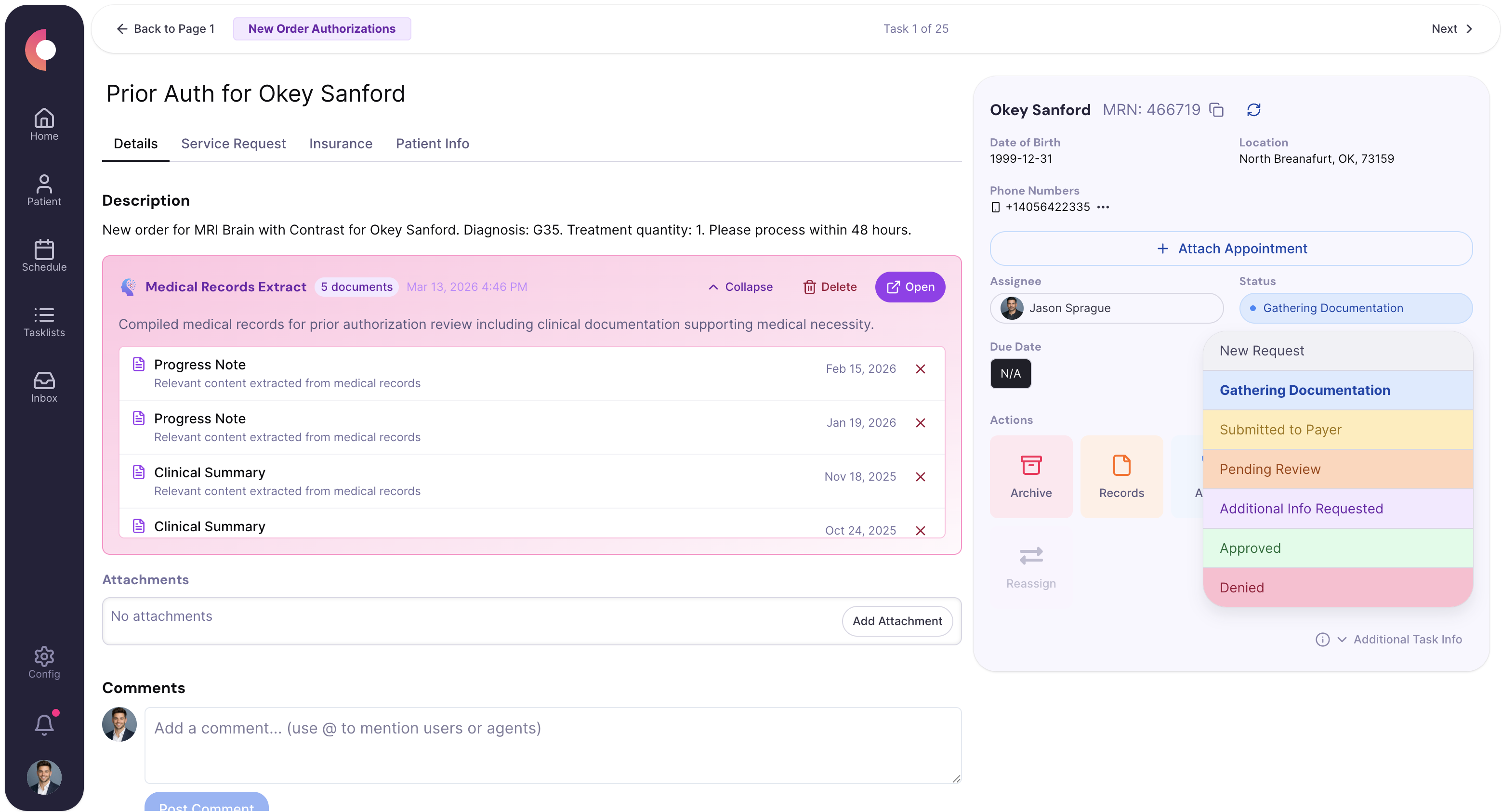
Queue grouped by submit, follow-up, denial, and renewal states.
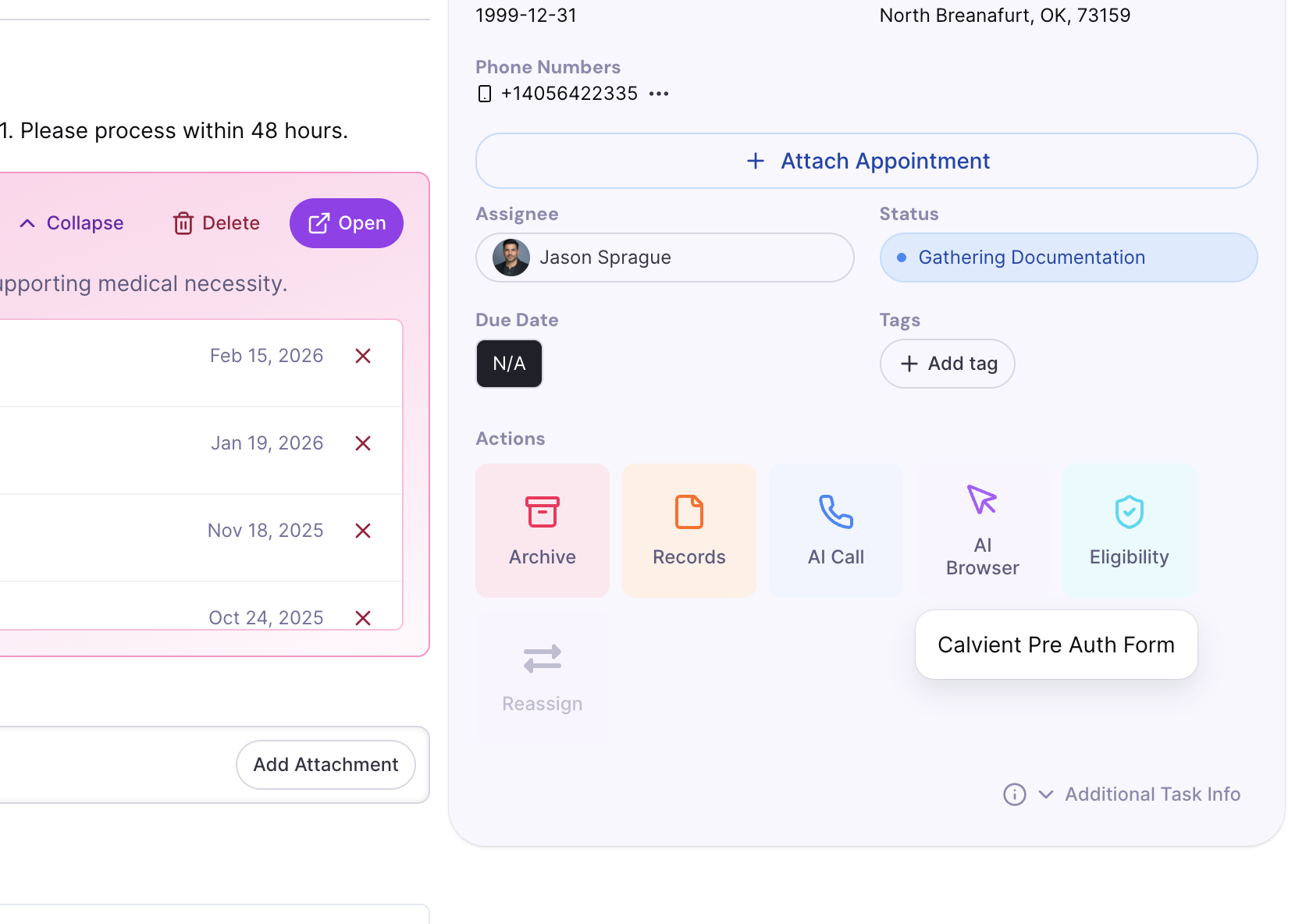
Payer portal task detail with logged actions and confirmation note.
Special Agents
These agents are useful because they handle the repetitive middle of the workflow while leaving sensitive or ambiguous decisions with staff.
Handles repetitive browser-based submission work and captures what happened for the record.
Trigger
Cases ready for payer portal submission or status review
Actions
Handoff
Escalates portal exceptions, denials, or missing-data prompts to the auth team.
Places structured follow-up calls when portal visibility is weak or payer rules demand phone confirmation.
Trigger
Aging cases or payers that require voice follow-up
Actions
Handoff
Routes unresolved or contradictory payer responses to the case owner.
Keeps expiring authorizations from becoming avoidable scheduling or billing problems.
Trigger
Cases approaching expiration or scheduled services beyond current auth window
Actions
Handoff
Escalates only when service dates, payer rules, or clinical context require human review.
Operational channels
Payer operations run across portals, calls, documents, and internal queues. Calvient keeps prior auth and payer tasks in one operating loop.
Fax
Payer responses, request letters, and supporting clinical documents
Text
Patient outreach when updated insurance or scheduling coordination is needed
Phone
Payer status calls, peer-to-peer coordination, and escalation work
Browser
Portal submission, status checks, evidence uploads, and renewal work
Forms
Structured auth packet prep and internal readiness checklists
EHR / integrations
Clinical note retrieval, chart context, and downstream scheduling coordination
Teams that use this
This workflow usually crosses prior auth, revenue cycle, scheduling, and nursing review. The system needs to keep all of them on the same case state.
KPIs / outcomes
The right operating system should make these measures easier to see, easier to improve, and easier to explain to leadership.
KPI
How long authorizations take from work start to usable approval or resolution.
KPI
How often the first submission goes out without preventable missing items.
KPI
How often staff must reopen a case because information, status, or follow-up was incomplete.
KPI
Which payer queues are creating the most delay and operational burden.
KPI
How often deductible, copay, coinsurance, and out-of-pocket figures presented to staff and patients match the payer of record at the time of service.
Related use cases
Centralize inbound and outbound referral work, track status, request missing information, and move patients forward.
Show queue health, backlog, turnaround time, productivity, and automation/reporting metrics.
Capture inbound work from fax, email, forms, and other channels, classify it, and route it to the right team and queue.
Yes. Calvient runs real-time eligibility and benefits verification to confirm in-network status, remaining deductible, copay and coinsurance amounts, and out-of-pocket maximum exposure. The values surface in the work queue so staff and patients can resolve cost-share questions before the appointment instead of at check-in.
Calvient surfaces the inputs required to issue a Good Faith Estimate — CPT and HCPCS codes, place of service, in-network status, patient cost share, and deductible status — and flags scheduled services where a Good Faith Estimate is required under the No Surprises Act. Staff approve and deliver the estimate through your existing patient communication workflow.
When an inbound referral arrives, Calvient queries the patient's payer in real time for eligibility, in-network status, copay, coinsurance, deductible remaining, and any prior-auth requirements. Coverage mismatches and unmet patient responsibility are flagged before the referral is scheduled so the team can reach out with accurate cost expectations.
Yes. Calvient drafts appeal letters using denial reason codes, clinical documentation, and payer-specific requirements. Staff review and approve the draft before submission rather than writing each letter from a blank page.
Calvient assigns denied claims to the appropriate team or individual based on denial type, payer, or dollar threshold. Routing rules are configured during implementation and can be adjusted as volume patterns change.
Calvient supports the billing team by handling the repetitive, high-volume parts of denial management and rework routing. Staff focus on decisions, exceptions, and payer escalations rather than administrative triage.
Bring one process. Leave with a launch plan.