
Tomorrow 8:30 AM consult
Paperwork incomplete
Workflow Use Case
Get patients ready before the visit by automating reminders, paperwork, insurance updates, and appointment coordination.
Last updated:
Operational picture
Appointment-driven workflows keep reminders, paperwork, insurance updates, and readiness exceptions moving before the front desk is under pressure.
Signals
Paperwork incomplete
Insurance card expired · re-verify benefits and deductible
All tasks completed
New in Calvient
Configure inbound call agents, assign them to clinic numbers, and route outcomes directly into Practice Inbox for fast follow-up.
AI Inbound Caller
Assigned Number: (312) 555-0182
How it works
Here is the whole path a case takes, from the moment it shows up to the moment it is done.
01 / Schedule
The appointment on the schedule kicks off the prep work on its own, based on the type of visit and how soon it is.
Prep starts days ahead instead of the morning the patient walks in.
02 / Outreach
Reminders, intake forms, insurance requests, and prep instructions go out by text or however each patient prefers.
Patients know what to do before they reach the front desk.
03 / Forms
Completed forms, insurance updates, and confirmations land in one view, so you can see who still needs a nudge.
You step in only where a patient is actually stuck.
04 / Ready view
Visits that are all set are marked ready, and the ones that are not show exactly what is still missing.
Check-in runs smoother and fewer visits fall apart at the last minute.
What operators see
These are the working surfaces that keep the queue understandable, actionable, and measurable.
Schedule
Teams can see tomorrow’s or next week’s appointments by ready, not-ready, or at-risk state.
New patient consult
Consent still missing
Annual follow-up
Reminder confirmed
Procedure visit
Insurance update requested
Forms
Operators know exactly which tasks are still incomplete without manually calling every patient.
Consent forms
2 of 3 complete
Insurance card
Front image received
Medication list update
Completed
Reporting
Managers can connect reminder completion and readiness work to attendance and check-in outcomes.
Reminders
Highest response rate this month
Insurance updates
Largest source of friction
No-show recovery
Escalate high-risk visits earlier
Workflow Views In Product
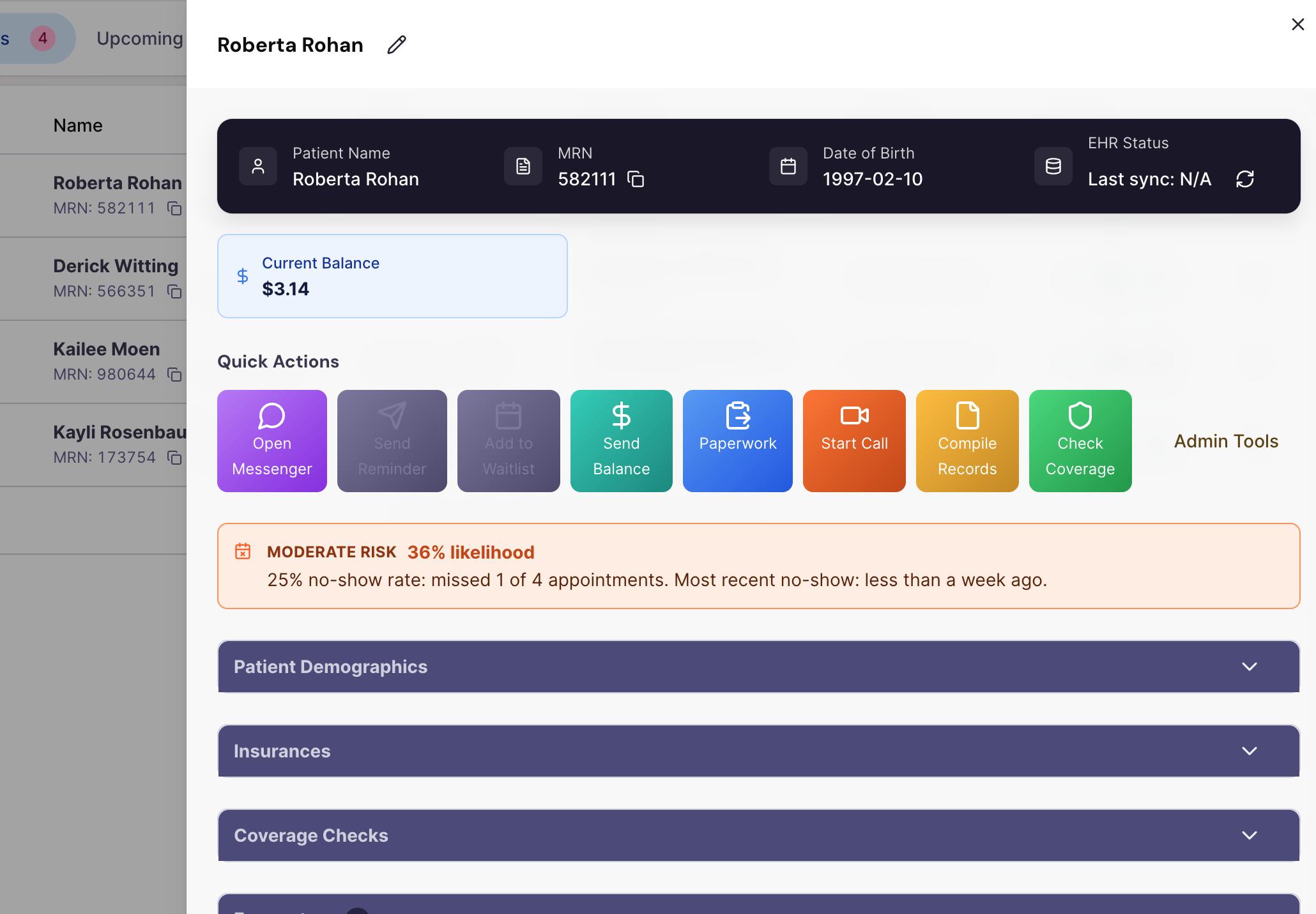
Schedule view showing ready, at-risk, and blocked appointments.
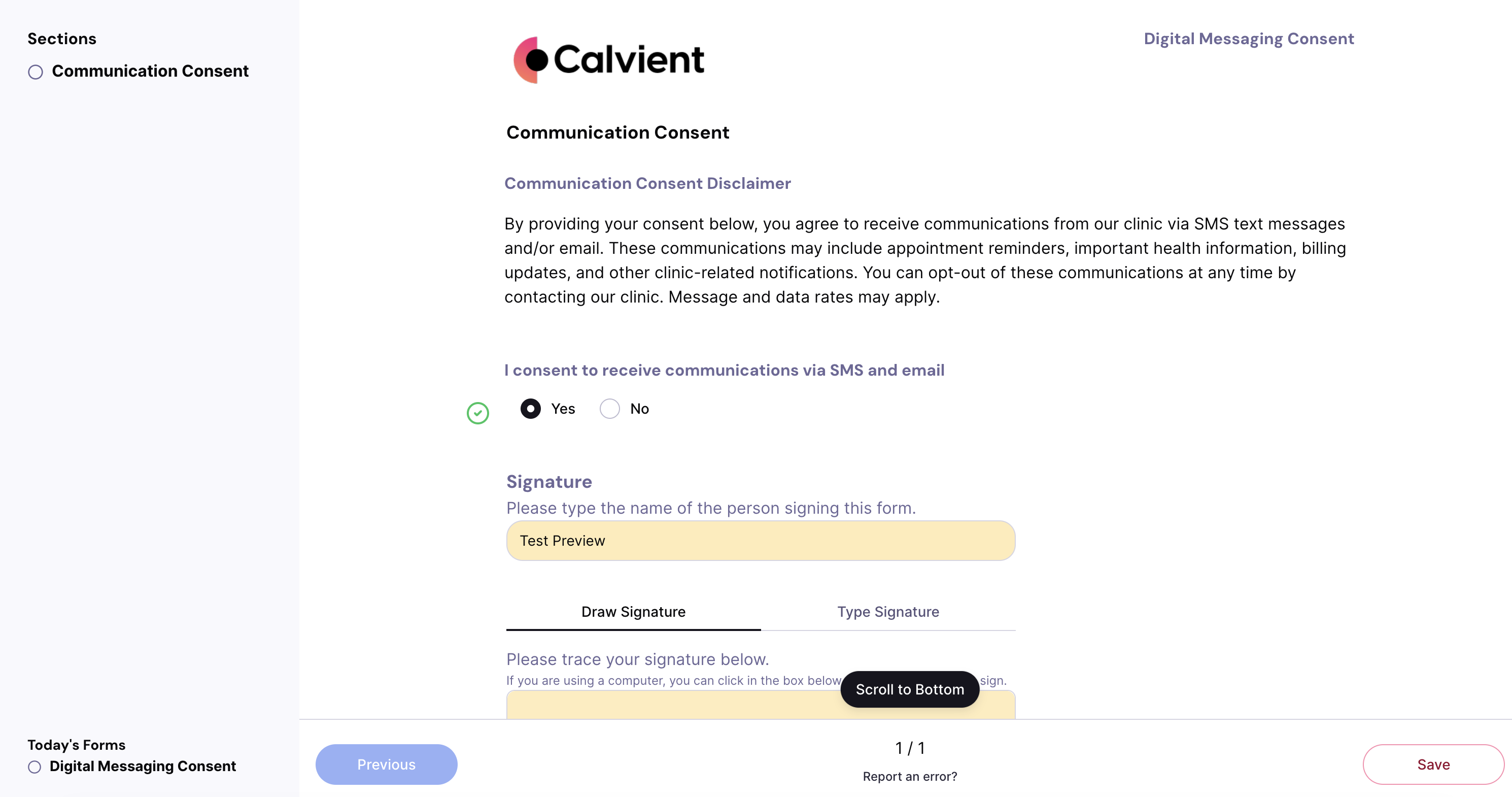
Patient readiness workflow with forms, insurance, and reminder status.
Special Agents
These agents are useful because they handle the repetitive middle of the workflow while leaving sensitive or ambiguous decisions with staff.
Keeps pre-visit forms moving without requiring staff to manually chase every patient.
Trigger
Appointments with incomplete paperwork or unsigned forms
Actions
Handoff
Flags only the patients who still need staff help before the visit.
Collects updated insurance details before coverage issues turn into check-in problems.
Trigger
Expiring coverage, missing images, or insurance mismatch risk
Actions
Handoff
Hands remaining problems to access or front-desk teams with the reason already attached.
Coordinates the task list that makes a patient truly ready, not just reminded.
Trigger
Upcoming appointment windows and procedure-specific prep rules
Actions
Handoff
Escalates only when something is still missing close to visit time.
Operational channels
Scheduling readiness spans reminders, forms, calls, uploads, and chart context. The system has to coordinate all of them around one appointment.
Fax
Outside prep documents or insurance-related paperwork still arriving by fax
Text
Reminder sequences, form nudges, and insurance update requests
Phone
Callback workflows for patients who need live scheduling help
Browser
Coverage review or external scheduling touchpoints when required
Forms
Digital intake, consent, and pre-visit prep forms
EHR / integrations
Appointment feed, chart context, and readiness status updates
Teams that use this
Front desk, access, and scheduling teams all need the same readiness picture, especially when the schedule is full and visit prep is uneven.
KPIs / outcomes
The right operating system should make these measures easier to see, easier to improve, and easier to explain to leadership.
KPI
How often reminders and readiness work reduce missed visits.
KPI
How much required documentation is complete before arrival.
KPI
How many appointments are fully prepared before the day of service.
KPI
How much less front-desk rework is required at arrival time.
Related use cases
Run reminders, recalls, surveys, no-show recovery, and other patient communication workflows.
Capture inbound work from fax, email, forms, and other channels, classify it, and route it to the right team and queue.
Centralize inbound and outbound referral work, track status, request missing information, and move patients forward.
Yes. Calvient runs real-time eligibility and benefits verification when an appointment is scheduled or re-verified, returning in-network status, remaining deductible, copay, coinsurance, and out-of-pocket maximum exposure. Staff can resolve cost-share questions and outreach to the patient before the visit instead of at check-in.
Calvient surfaces the inputs needed to produce a Good Faith Estimate — CPT and HCPCS codes, place of service, in-network status, deductible status, and patient cost share — and flags scheduled services where a Good Faith Estimate is required under the No Surprises Act. Staff approve and issue the estimate through your existing patient communication workflow.
Timing is configurable per practice. Most teams send an initial reminder 72 hours out and a follow-up 24 hours before the appointment. Calvient handles the sequencing automatically so staff do not need to manually track who has and has not responded.
Yes. Form content and routing can vary by appointment type, department, or provider preference. Changes to form structure are handled during implementation and can be updated as workflows evolve.
Calvient can escalate unresponsive patients to a staff queue for manual follow-up, flag them in the schedule, or trigger an additional outreach attempt depending on how the workflow is configured.
Yes. Follow-up workflows can be scoped to visit type, diagnosis category, or provider. This is commonly used for chronic care management, post-procedure check-ins, and preventive care gaps.
Calvient writes intake data back to the patient record in the EHR so staff are not manually re-entering information. Supported EHRs include eClinicalWorks, athenahealth, NextGen, ModMed, and others. Exact field mapping is confirmed during implementation.
Bring one process. Leave with a launch plan.